
Update v1.4.0
Chromatose v1.4 is now available!
Chromatose v1.4.0 is the biggest release yet. The new Performance Mode turns Chromatose into a true live instrument with eight hot-swappable patches, a master FX chain, and a fully customizable transition system. It also brings the new Feedback Insert and Recolor effects, custom color palettes, clock-synced LFOs, a major MIDI overhaul, ProRes video recording, and much more.
Check out the YouTube video for a full walk-through of what’s new:
What’s New?
Performance Mode
Performance Mode (New)
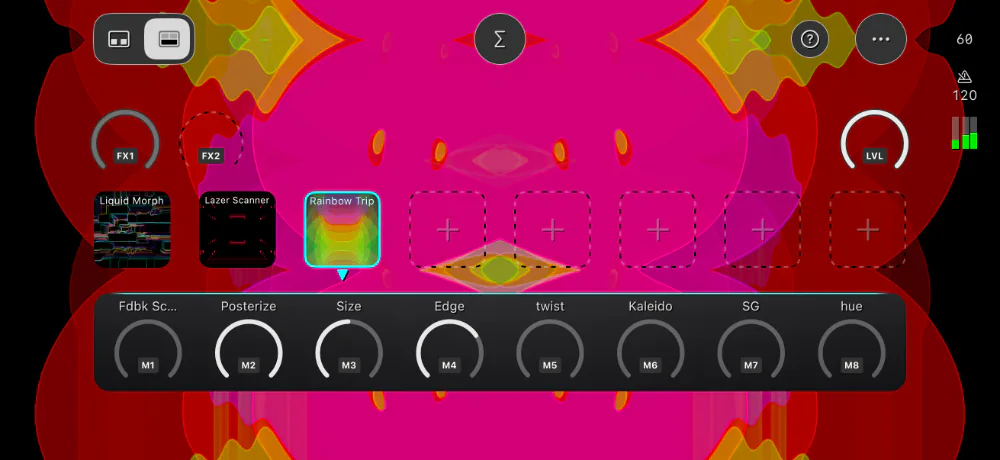
Performance Mode is built for playing your patches live. It hides the design controls and puts everything you need on stage front and center: eight patch pads, your eight macro knobs, a master effects chain, and a global Level knob. Performance Mode is designed with complete MIDI control in mind: every patch pad and knob can be mapped to MIDI, so it works best with a hardware MIDI controller.
8 Hot-Swappable Patches (New)
Assign up to eight patches to the patch pads, then tap a patch pad to load its patch instantly. Patch pads can also be triggered from your MIDI controller, or let Auto-Cycle switch between them for you, hands-free. Each patch pad even remembers where you left its macro knobs, so when you come back to a patch, everything is right where you left it.
Master FX Chain (New)
The new Master Mix section has its own effects chain that runs after whatever patch is playing. Because it doesn’t belong to any patch, it stays in place as you switch between patches. Map any Master FX parameter to the two new FX macro knobs, FX1 and FX2, to play your master effects live.
Modular Transitions (New)
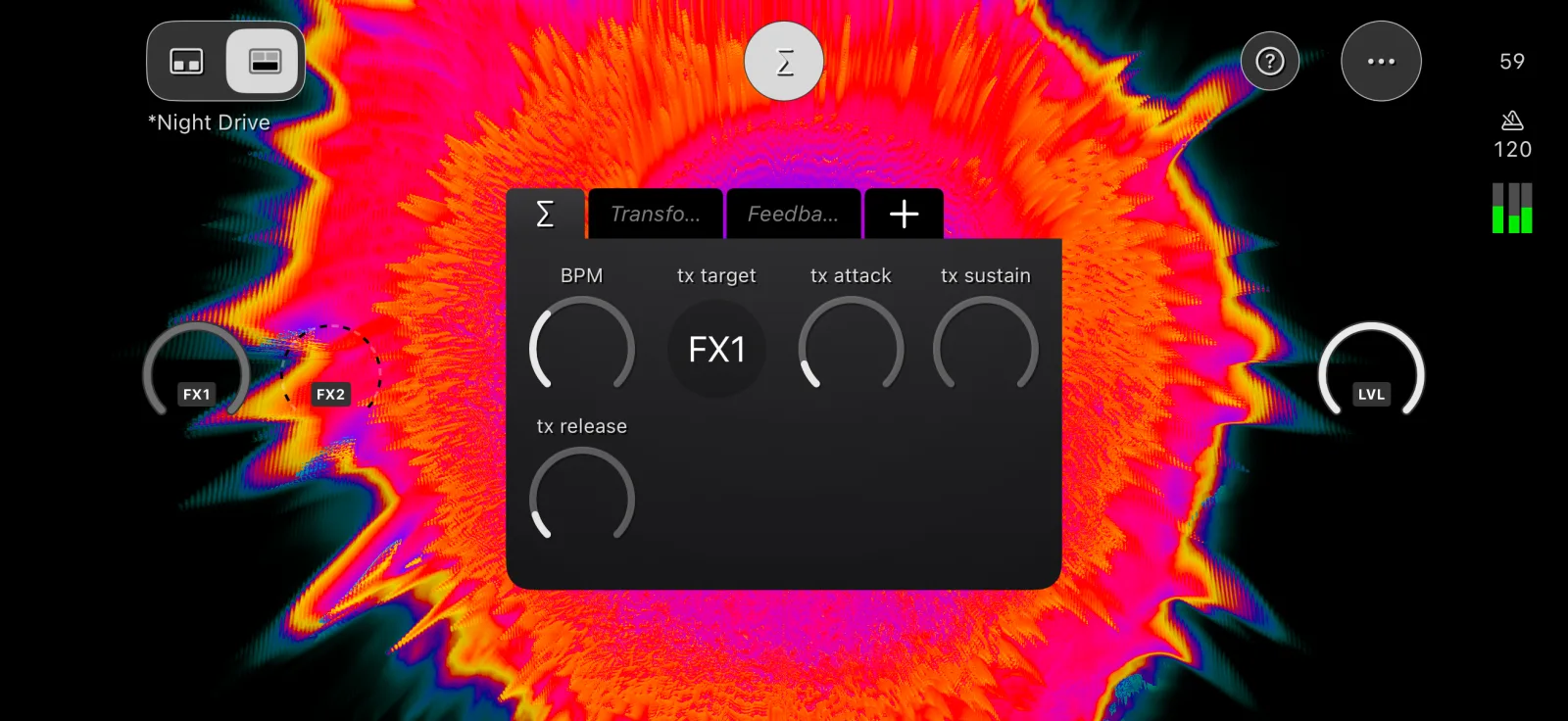
Instead of a hard cut, patches can hand over to each other through a transition. Pick what the transition takes over with tx target, then shape it with an Attack / Sustain / Release envelope (tx attack, tx sustain, and tx release).
- Target the Level knob for a classic fade to black and back.
- Target FX1 or FX2 and the transition drives your Master FX instead.
That second option is where it gets really fun. There’s no fixed list of transitions to choose from. Your transition is whatever you build it to be: a feedback smear, a blur wipe, a color collapse, anything. It’s a fully modular system that gives you total creative control to design your own transitions.
Performance Sets (New)
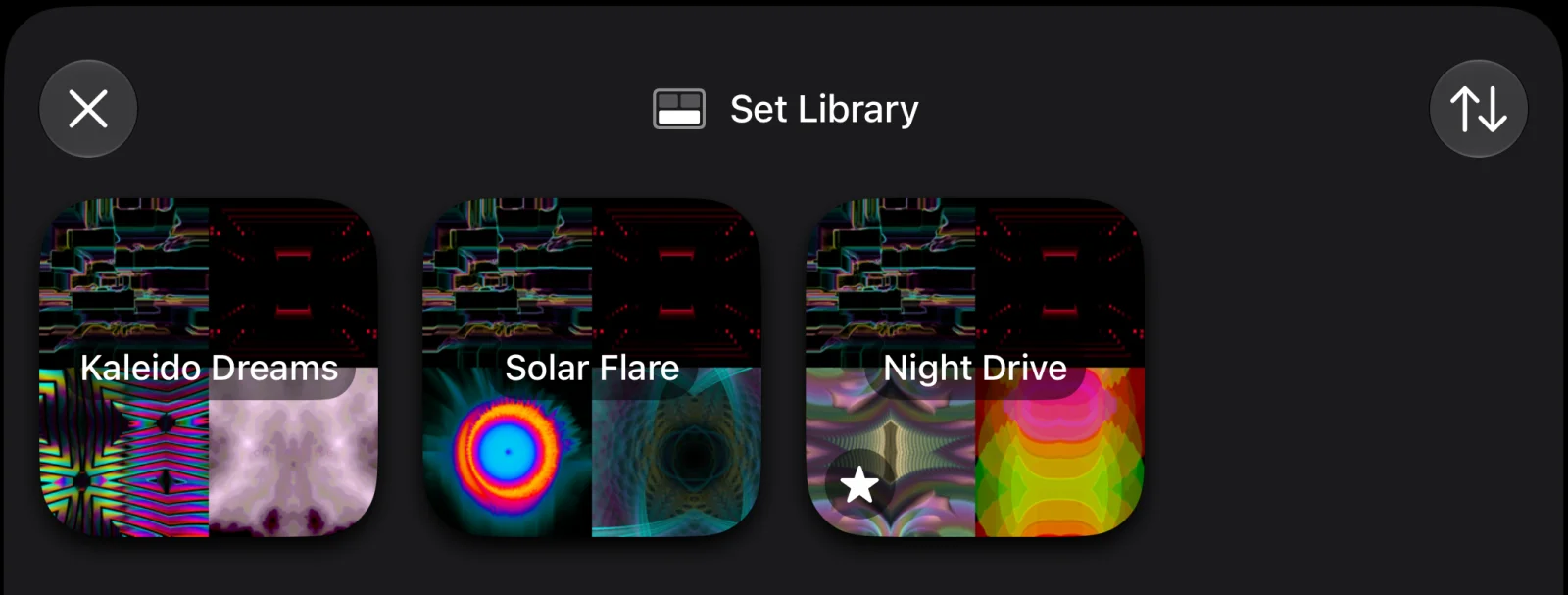
Everything you set up in Performance Mode, including the patch pad assignments, the Master FX chain, the FX macro mappings, the BPM, and the transition settings, is saved together as a Performance Set. Design Mode saves patches, and Performance Mode saves sets. Free users can explore all of Performance Mode with a single set, and Pro subscribers can save unlimited Performance Sets.
Global tempo now lives in Performance Mode too: the BPM knob is part of the Master Mix section and is saved with the set, so all of your patches share one consistent tempo. The new Level knob controls the brightness of the whole output and is never changed by loading a patch or a set, making it a reliable blackout control.
Effects
Feedback Insert Effect (New)
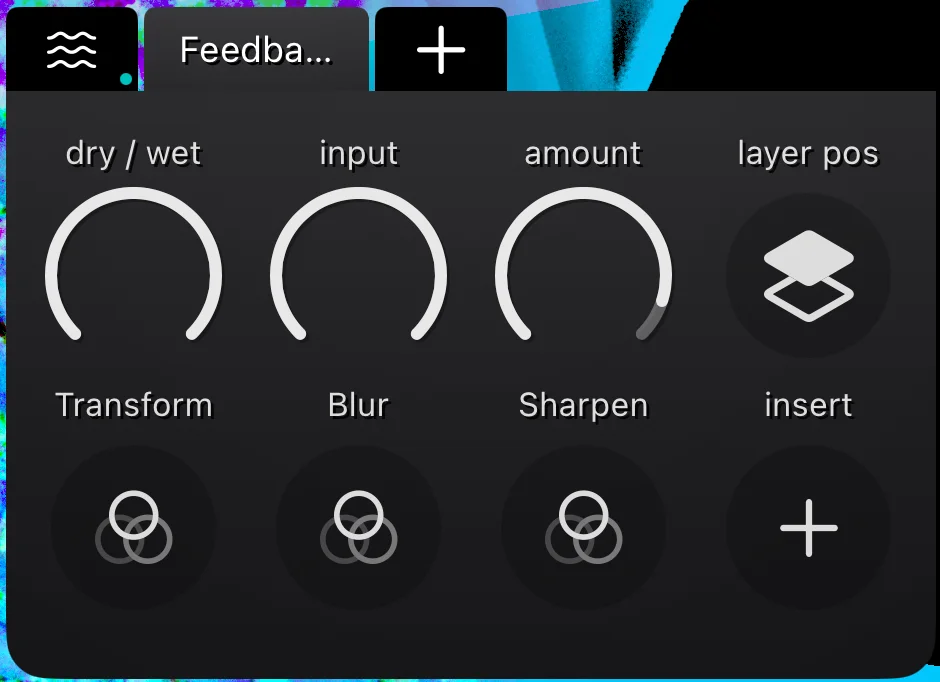
This one unlocks huge creative potential. Feedback Insert works like the standard Feedback effect, but you can chain up to four effects inside the feedback loop. Not after the feedback in series, but inside it. Whatever you put in there gets applied again on every pass through the loop, compounding over time. The results are completely different from anything you can get by stacking effects in series, and it goes somewhere new every time you use it. The parameters of the inserted effects can be mapped to macro knobs too, so you can play the whole loop live.
Color
Recolor Effect (New)
Video synthesis makes it easy to generate wild results with lots of crazy colors, which is a lot of fun. But sometimes you want to tame that wildness and bring everything back into a pleasing color scheme. That’s what Recolor is for. It remaps the colors of any output through a color palette, with controls for the mapping algorithm, phase, frequency, wrap, and smooth.
Color Palette Picker (New)
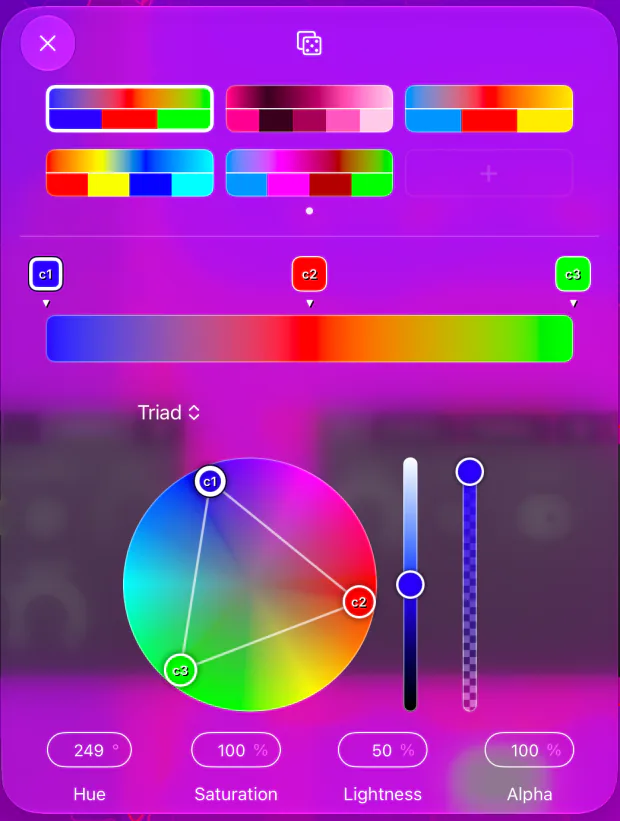
Recolor’s palette is configured with a brand new, advanced Color Palette Picker. Build your own palettes from a harmony rule (Complementary, Triad, Analogous, and more) for a starting point that already works, or go fully Custom with two to five colors of your own. Save the palettes you like as favorites, and recall them in any patch with a single tap. Five factory palettes are included to get you started.
Modulation
Clock-Synced LFOs (New)
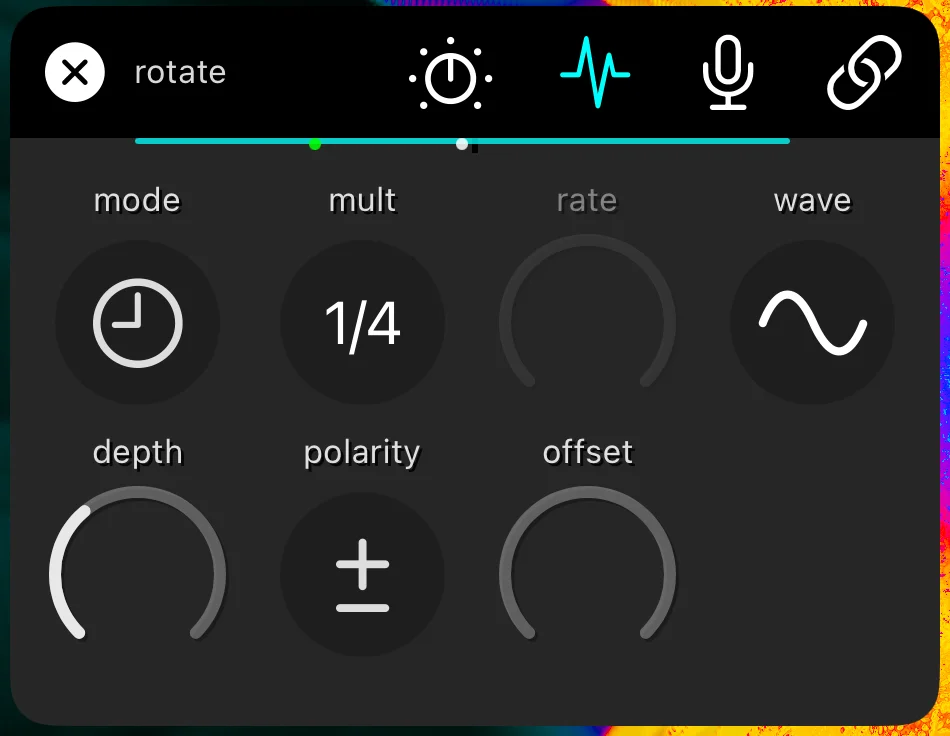
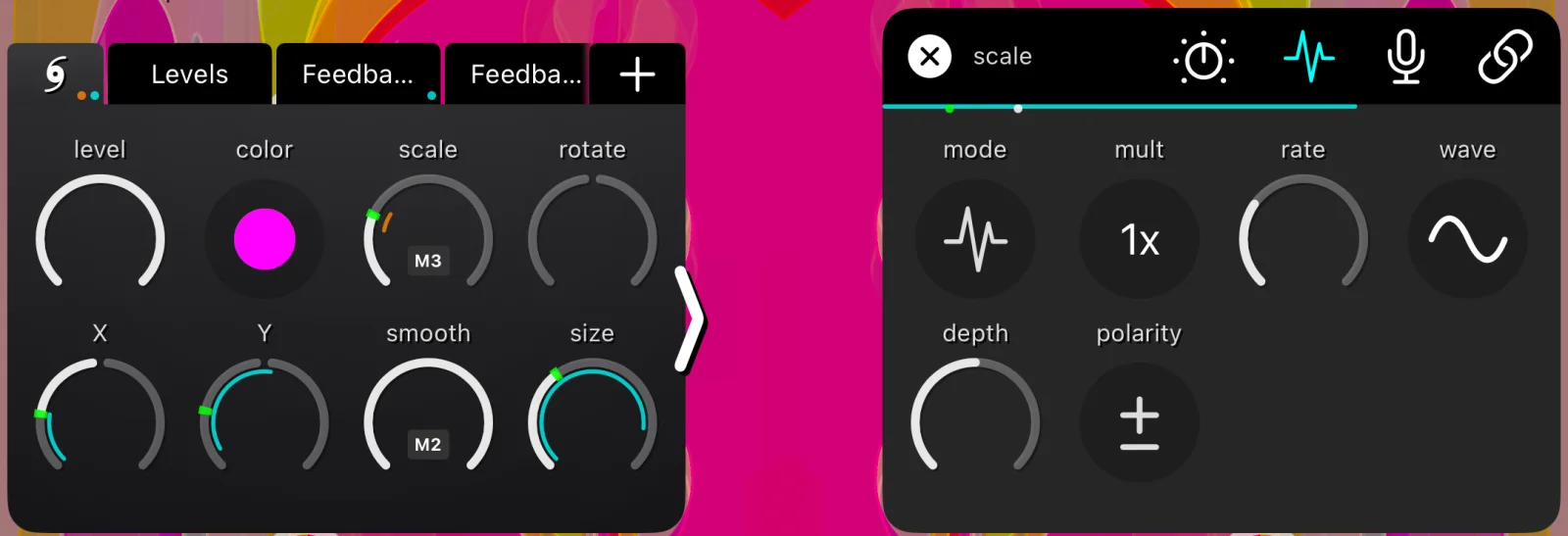
Every time-based LFO now has a new mode picker. In Sync mode, the LFO locks to the master BPM tempo, so your modulations stay precisely in time with each other and with your music. The mult setting becomes musical (1x is one cycle per bar, 2x is two cycles per bar, and so on), and a new offset parameter shifts where the LFO sits in its cycle. Sync the same parameter on several generators, then offset one of them by half a cycle to stagger the animation. Free mode is still available and works just like before.
More New & Updated Effects
Slice Effect (New)
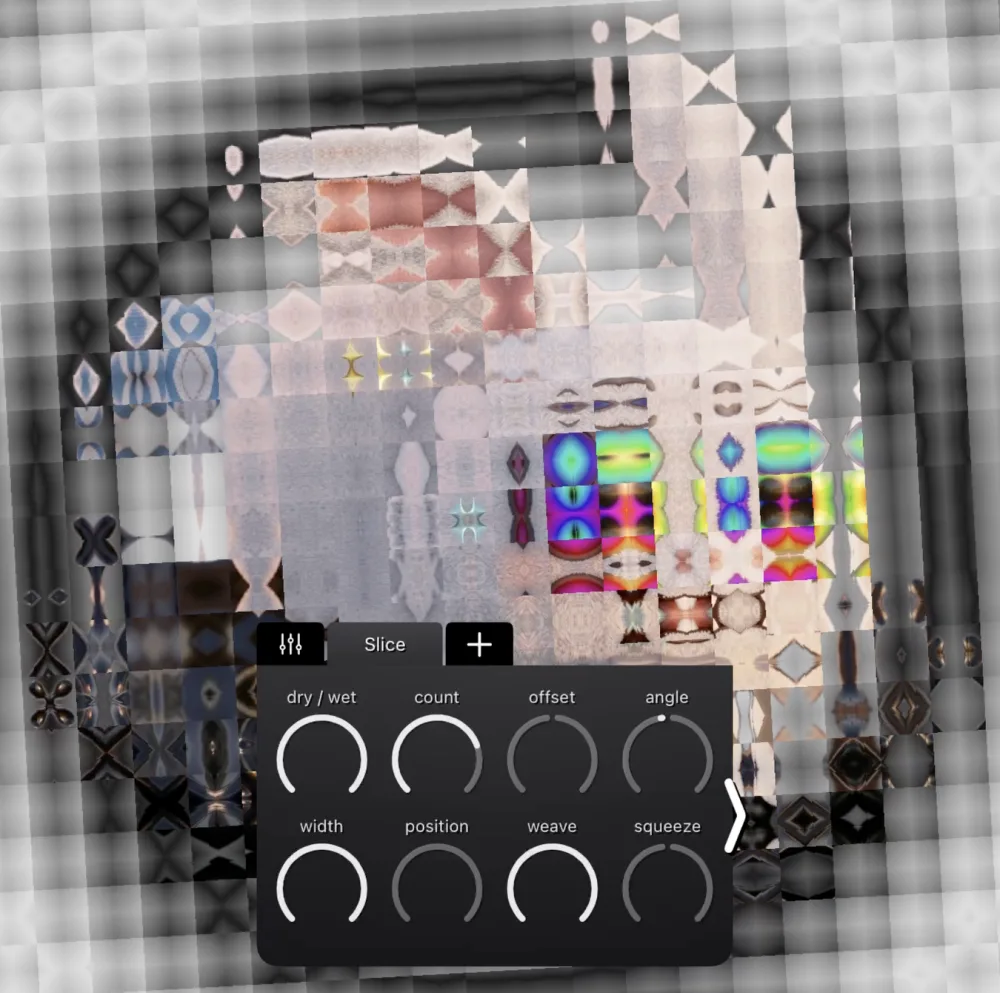
Slice cuts the image into parallel bands and shears alternating bands in opposite directions. It has a lot of range, from a subtle shift to a completely shredded image, with controls for count, offset, angle, width, position, weave, squeeze, and jitter.
Blur & Sharpen Effects (New)
Blur comes in two types, Disk and Directional, and Sharpen brings out fine edge detail. They’re useful on their own, but they get really interesting when combined together inside a Feedback Insert effect. Dial in the right balance of Blur and Sharpen in the loop and you can grow organic, reaction-diffusion-like patterns that evolve on their own. Higher samples values increase the quality but come with a performance cost, so use them sparingly.
Feedback Effect (Updated)
- New
color driftparameter
Shifts the colors a little further on every pass through the feedback loop, so the trails cycle through color space. Turn up theamountand setlayer posin front for wild, evolving, eyeball-melting feedback loops.
Auto-Save
Auto-Save (Updated)
Auto-save now snapshots your whole session in the background, including the active Performance Set, the active patch pad, and the current mode, and restores it all the next time you open the app. Chromatose also tracks unsaved changes for both patches and Performance Sets, and warns you before any action that would discard your work.
MIDI
MIDI System Overhaul (Updated)
The MIDI engine got a serious upgrade. If you play Chromatose from hardware, this one is for you.
- High-resolution control
Map 14-bit NRPN controls (enable NRPN under Settings > MIDI), and receive native MIDI 2.0 at full resolution. That’s over 16,000 steps of control instead of just 128, if your controller supports it. For the full story, read MIDI Resolution Demystified . - Faster response
MIDI is now processed much faster, so macro knobs follow even the quickest controller moves with a snappy, immediate feel. - Advanced filtering
Filter by MIDI channel and enable or disable individual devices, so only the controllers and channels you actually want are talking to the app. - Note support
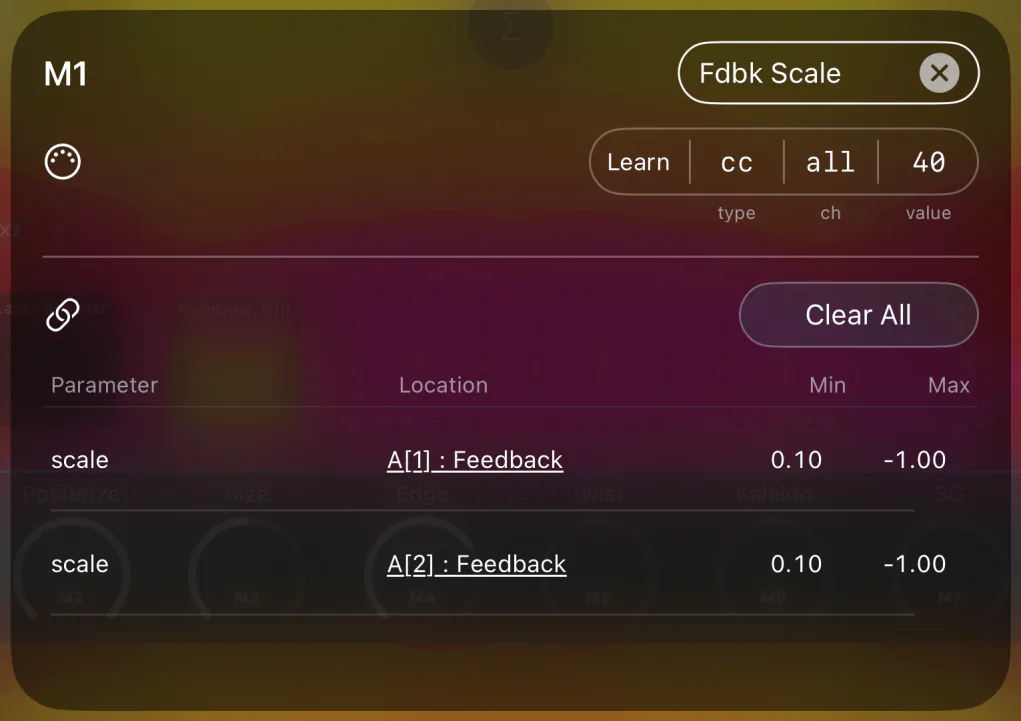
Map MIDI notes to macro knobs, patch pads, and global knobs like the FX macros, BPM, and Level. - Pass-Thru Detection
An incoming controller value has to pass through a knob’s current value before it takes over, so loading a patch never makes anything jump. A green marker on the knob shows where your controller currently sits. - Bluetooth MIDI peripheral
Turn on Advertise Bluetooth in Settings > MIDI and other devices, like a phone running a MIDI controller app, can connect to Chromatose directly over Bluetooth.
Audio Engine
Audio Engine (Updated)
- New Auto-Gain
Adjusts the gain of each signal automatically to the loudness of the room. It backs off quickly when things get loud and comes back up gently when they get quiet, so no more jumping into the settings to keep adjusting the gain. - Choose your audio source
Pick between the device’s internal microphone and a connected audio interface. - Audio interface input selection
Choose the specific input on your interface that you want analyzed, instead of always using the first one. - Settings shortcut
Double-tap the audio level meter in the status bar to jump straight to the Audio Engine settings.
Video Recording
ProRes Video Recording (New)
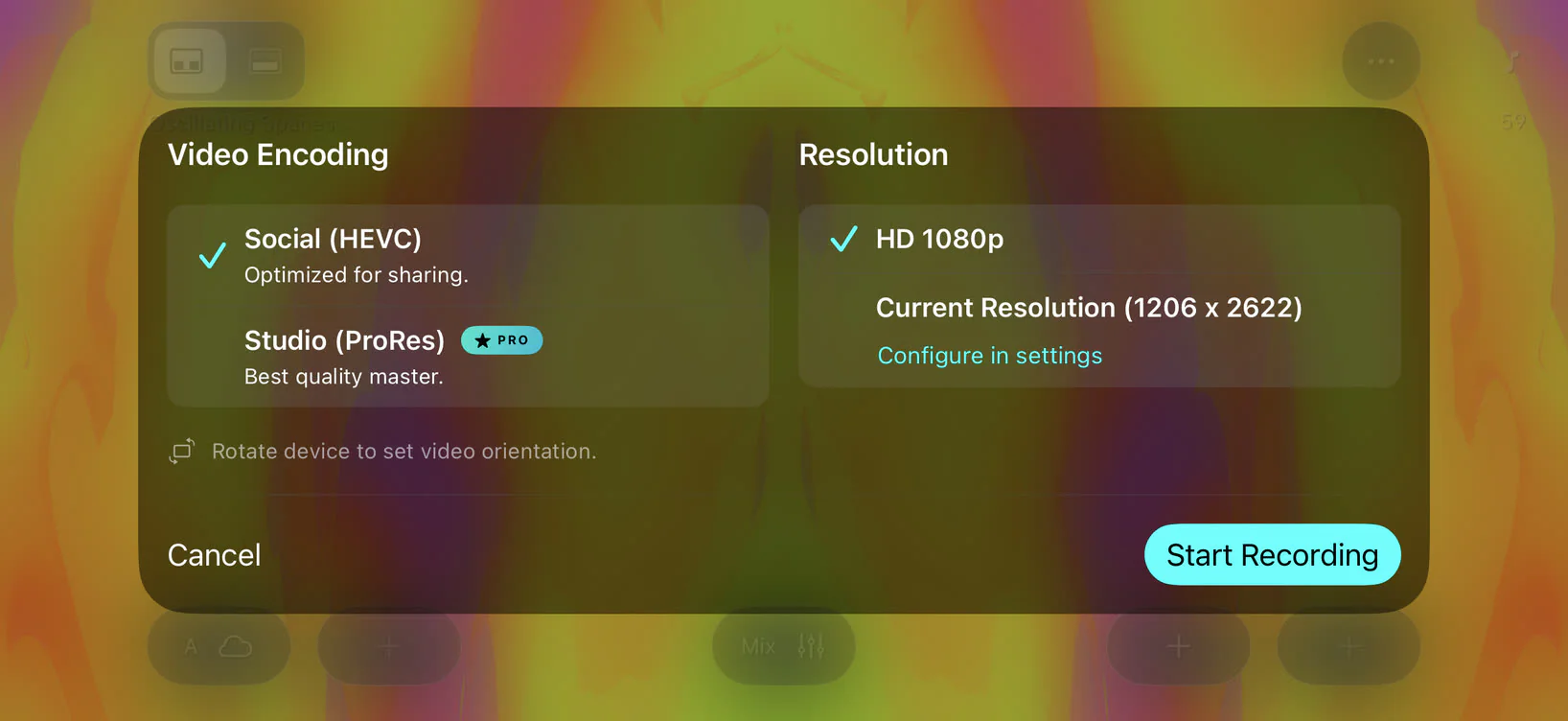
When you start a recording, you can now choose between two formats:
- Social (HEVC) is the same compact format as before, already tuned for sharing on social media.
- Studio (ProRes) is new for Pro subscribers. It records with the ProRes 422 codec for a nearly lossless, high-quality master, perfect if you plan to edit further in another app. Studio requires a device with a hardware ProRes encoder, and the files are large, so check your free space before a long take.
Curious how it all works? Read Video Encoding Demystified to learn how to get the best quality recordings.
Rendering
Better Color Accuracy (Updated)
The rendering engine now uses a single, uniform linear color space through the whole render pipeline. Your patches look consistent across the 8-bit, 16-bit, and HDR render modes, including photos imported in any color space (HDR photos too). As a result, some existing patches may look slightly different, most noticeably in 8-bit mode and in patches that use photos.
In HDR render modes, the new hdr gain parameter on the mixer controls how much of your display’s extra brightness headroom the output uses, from a little extra punch in the highlights to all gas, no brakes.
Preset Patches
New factory preset patches:
- Chroma Cam
- Elegant Strobe
- FB Wave
- Jungle Matrix
- Magnetic Resonance
- Swirly Pop
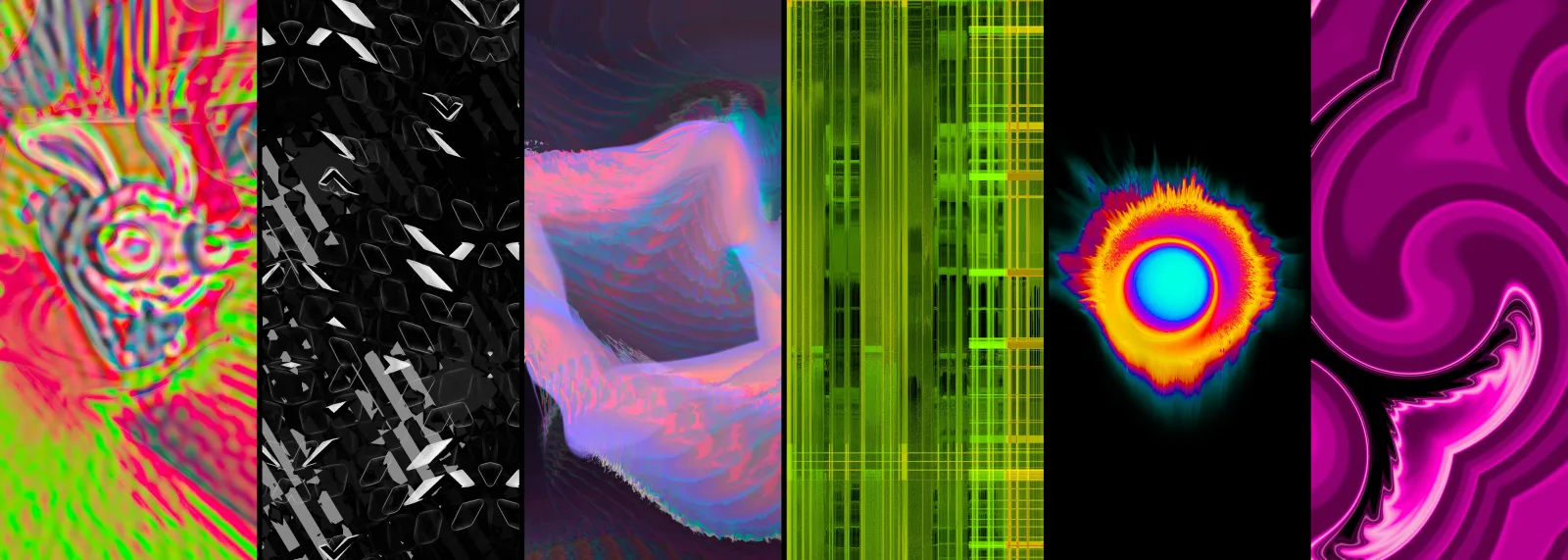
Many of the existing factory presets have also been updated to work best with v1.4, and 5 factory color palettes are included in the new Color Palette Picker.
UI / UX
- Improved layout
The main menu button moved to the top right next to a new Help button, and the status icons moved into the margins. This frees up a lot more room for the input controls, especially on iPhone. - Modulation indicators
Parameter detail panels show a live modulation depth meter, and panel tabs show a badge whenever one of their parameters is being modulated, so you can see at a glance what’s active. - Custom init patch
Tap the star button on a patch’s Detail view to make it the starting point for new patches and new sessions.
Other Improvements
- New Triangle modulation waveshape.
- New pulse width (
pw) control on every square wave, great for strobes and quick bursts. - Crop Effect: new Circle shape and a
smoothparameter for soft edges. - Camera Generator: new
exposureparameter. - Long-press a patch in the Library for the full command set.
- Full iOS 27 compatibility support.
- A huge list of bug fixes, including several rare crashes, plus many performance improvements throughout.
Updated User Manual
The user manual has been fully updated for v1.4, with complete details on every feature in the app, from your first patch to Performance Mode, MIDI, and beyond.
See the changelog for the full list of changes.