
Chromatose v1.3 is now available!
Chromatose v1.3.0 introduces a new monthly subscription option, as well as several new creative tools including the live Camera Generator, Wave Effect, Crop Effect, Virtual MIDI input, and more.
Checkout our YouTube video for a full walk-through of what’s new:
What’s New?
Monthly Subscription (New)
There’s now a new monthly Pro subscription option. It’s the same Pro plan as before, just with a different billing frequency. The annual plan is still the best deal with up to 30% savings.
Camera Generator (New)
Capture a live video stream directly from your device’s cameras. Supports front/back selection, zoom control, and automatic orientation handling. Feed the live camera right into your effects chain for real-time video manipulation.
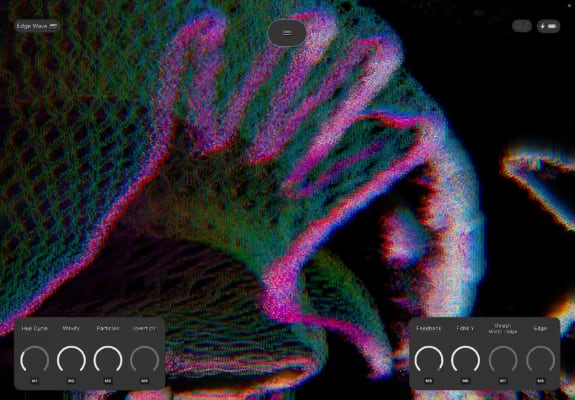
Wave Effect (New)
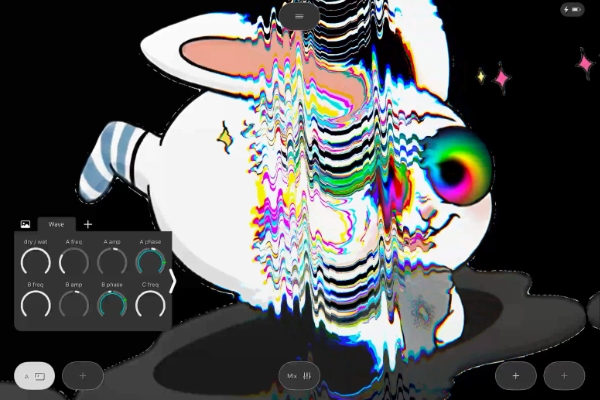
Apply FM/AM wave distortions to any input with full control over 3 waves. Dial in everything from subtle ripples to full-on warping madness with parameters for waveshape, frequency, amplitude, position, rotation, phase, and attenuation.
Crop Effect (New)
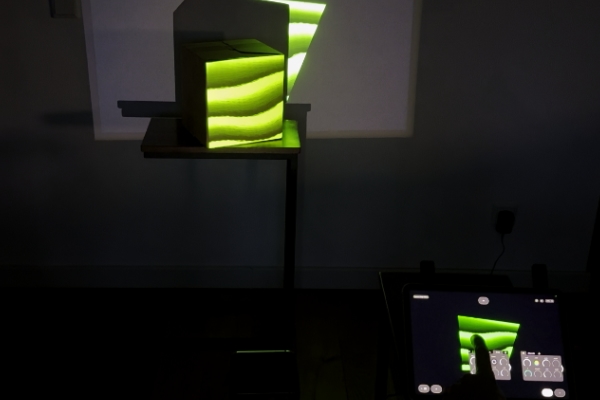
Crop your output using three shape modes: Rectangle (edge offsets), Quad (individual corner positions), or Oval (width/height). Perfect for configuring projector output, basic projection mapping, or creative framing.
Keying Effect (Updated)
A new hsl mode selector lets you key by hue or saturation in addition to luma. This enables precise color-based keying for isolating or removing specific colors from the image.
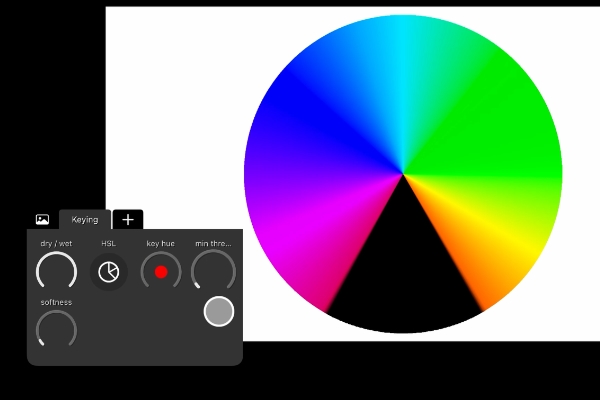
Photo Generator (Updated)
New built-in rectangle cropping parameters let you trim the source image before any tiling or spacing is applied - handy for zeroing in on the exact part of the image you want to work with.
Core Features
Virtual MIDI Input (New)
Other audio apps on the same device (e.g. sequencers) can now route MIDI directly to Chromatose - no external hardware needed. This opens up powerful inter-app workflows, like sequencing visual changes from your favorite music apps.
Device Preview (New)
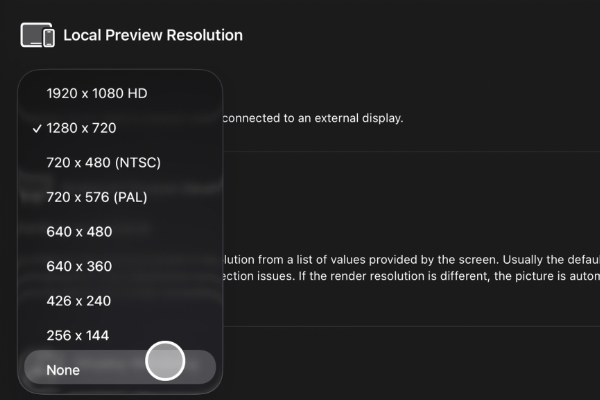
When an external screen is connected, the local device screen now shows a live downscaled copy of the external output instead of only the HUD controls. You can finally see what your audience sees, right on the device in your hands.
Patch Auto-Save (New)
Unsaved changes are automatically saved when the app goes into the background and restored when you return. No more losing your work because you switched apps or took a call.
Audio Playback (Updated)
Music from other apps can now play simultaneously while Chromatose’s audio engine is enabled. Chromatose no longer interrupts your music - play Spotify, SoundCloud, or anything else while creating visuals that react to the sound.
Performance View (Updated)
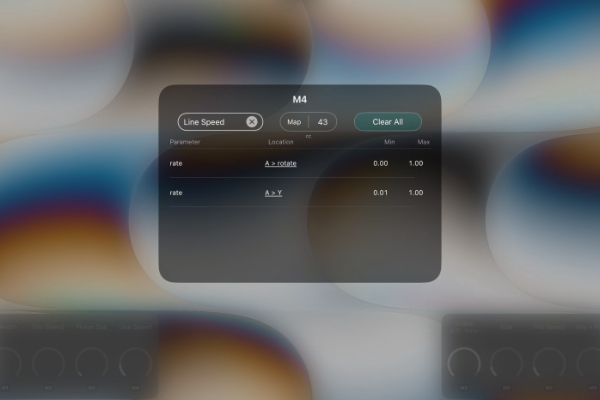
Macro knobs get a major upgrade with a new Macro Detail View:
- Add custom names to macro knobs.
- See all mapped parameters at a glance with their full location path (e.g. “Gen A > rotate”).
- Deep links directly to mapped parameters in Design View for quick navigation and editing.
- Delete individual or all mappings directly from Performance View.
- Configure MIDI mappings without leaving Performance View.
Library
- Remembers your last used query (search text, sort order, tag filters) when reopening.
- Infinite scrolling replaces full list loading for faster performance with large patch collections.
- Search no longer hides the toolbar.
Modulation
New 32x and 1/32 rate multipliers for extreme fast or slow modulation speeds - perfect for glacial drifts or frenetic glitch effects.
Other Improvements
- Simplified Graphics Engine settings with a new Simple/Advanced configuration mode.
- Battery indicator in the top status bar.
- Smoother FPS indicator display.
- Display Mirroring changes take effect immediately without reconnecting.
- Screen Mode setting remembered across sessions.
- Audio gain uses a power curve for easier fine-tuning at lower values.
- Settings categories now have icons for easier navigation.
- Updated all custom SVG icons for visual consistency.
- Upgraded MIDIKit library, fixing occasional crashes when connecting a MIDI controller.
See the changelog for the full list of changes.