
Chromatose v1.2 is now available!
Checkout our YouTube video for a full walk-through of what’s new:
What’s New?
Effects
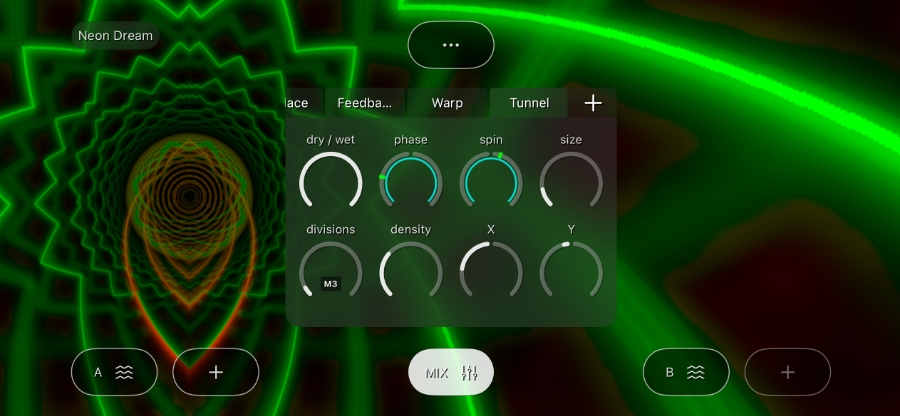
Tunnel Effect (New)
Turn any input into a traversable, 3D-like tunnel with rich controls for size, speed, and more.
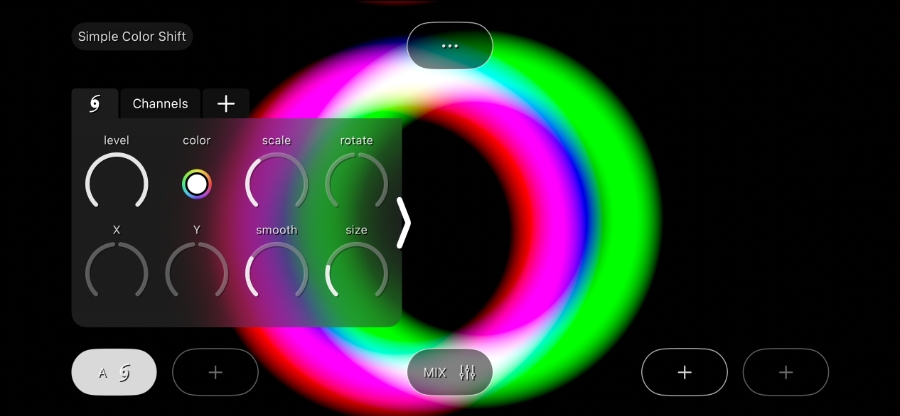
Channels Effect (New)
Separate the Red/Green/Blue channels of the image. Individually mix them, offset them, and adjust the angle of the offset. This effect is deceptively simple, but yields surprisingly complex results.
Feedback Effect (Updated)
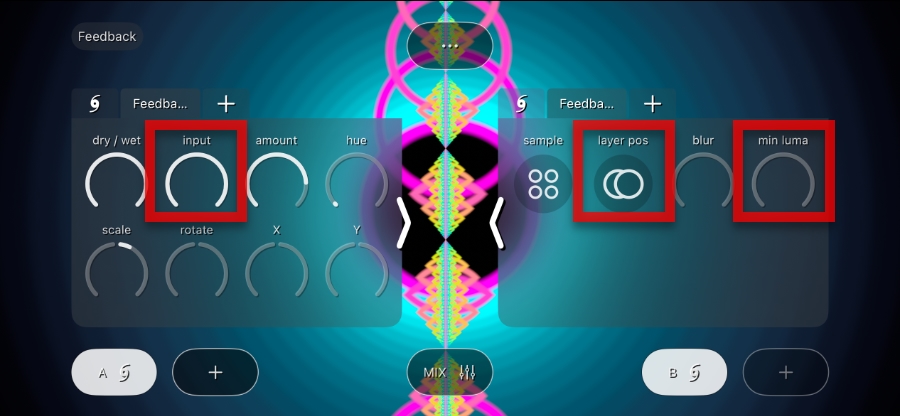
Feedback gets 3 new creative parameters:
- New
inputamount parameter
Controls the level of the current-frame input into the feedback effect (as opposed to the previous-frame input, which is sampled separately and controlled by theamountparameter). Great for creating pulsing, “post-fader” style effects. - New
layer posparameter
By default, the current frame is layered above the previous frame. This parameter swaps their order, which can lead to dramatically different looks. - New
min lumaparameter
A brightness threshold to decide which pixels get included in the feedback loop. This controls how much (0–100%) of the previous frame is included in the final mixed output. Useful for taming wild, out-of-control feedback.
Reduce Effect (Updated)
Pixelation gets a complete overhaul with 4 new shaping parameters:
- New
shapeparameter
Morphs between square and circular pixel shapes. - New
invertparameter
Inverts the pixel shape to create a cut-out effect. - New
spacingparameter
Adds spacing between the pixel shapes. - New
smoothparameter
Smooths out the pixel shape for a softer look.

Generators
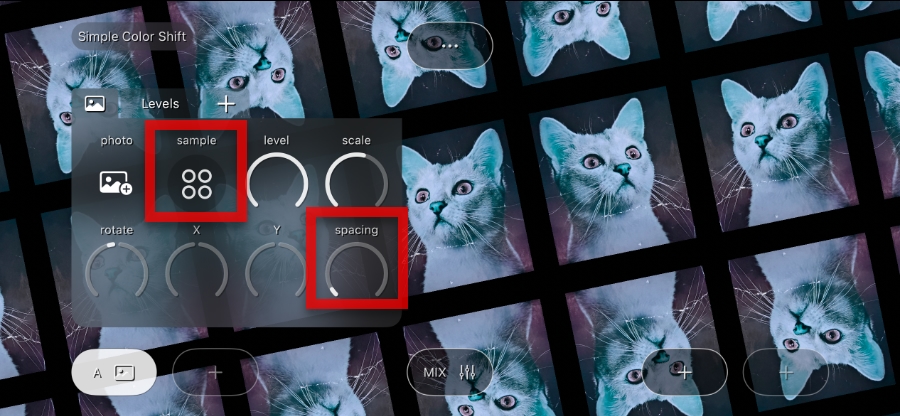
Photo Generator (Updated)
- New
spacingparameter
Adds space between the photo tiles. Great for removing the tiling to focus on a single image (like a logo) or for other graphic variations. - New
sampleparameter
Controls how the input image is sampled. There are 3 options: Mirrored, Repeated, Clamped (matching the same parameter on the Feedback Effect).
Preset Patches
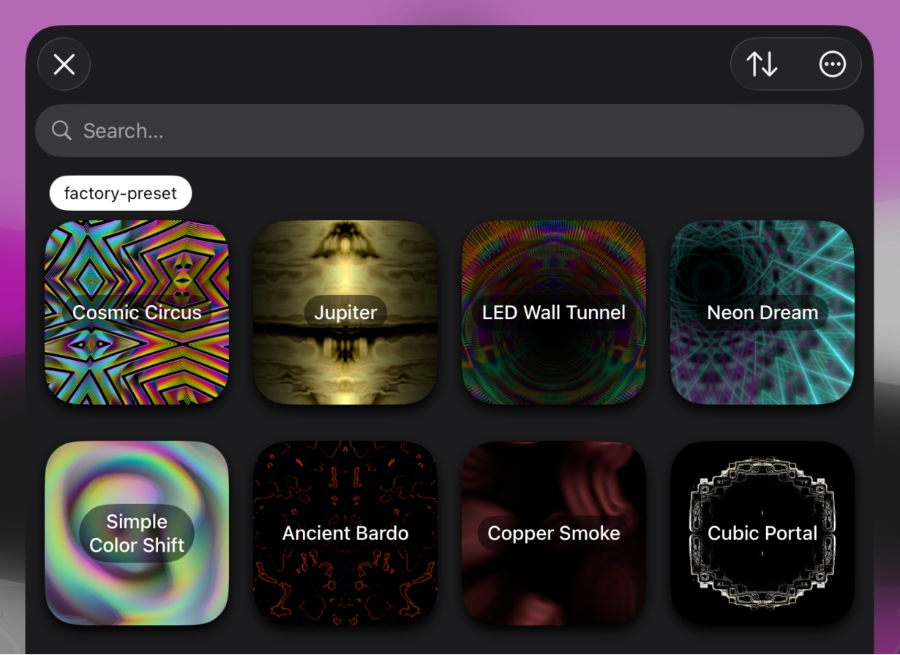
We’ve added 5 new factory presets and updated 3 existing presets with additional macro controls. Chromatose now ships with a total of 23 hand-crafted presets.
New:
- Cosmic Circus
- Jupiter
- LED Wall Tunnel
- Neon Dream
- Simple Color Shift
Updated:
- Ancient Bardo
- Copper Smoke
- Rainbow Worm
Core Features
Responsive Layout
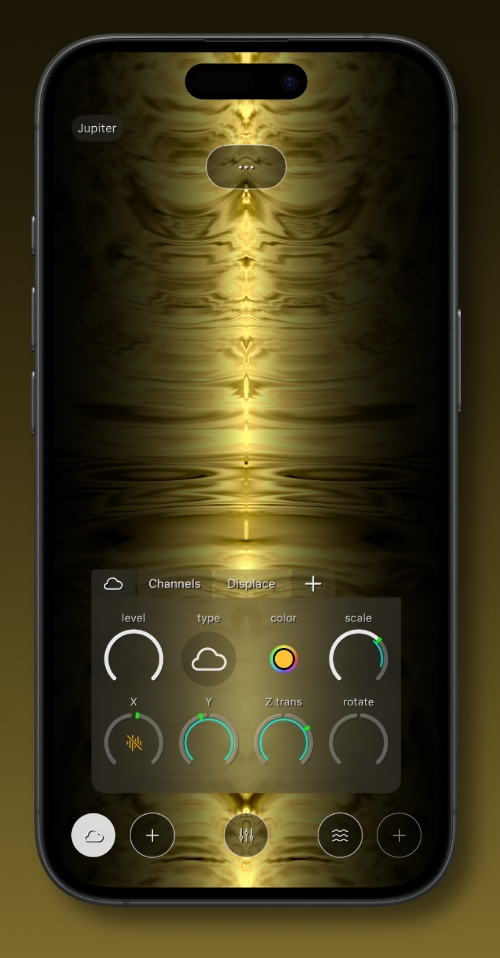
The UI now intelligently adjusts itself to fit within the available space on any screen.
- Supports any screen size
- Supports both Portrait and Landscape orientation
- Supports iPadOS 26 multitasking and window resizing
Fine Tuner Input Control
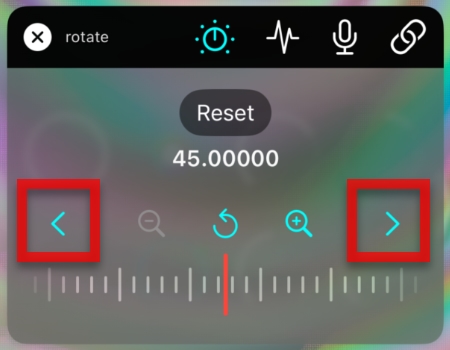
The Fine Tuner input control gets multiple bug fixes and new stepper buttons to intelligently snap to next/previous rounded values, making it faster to dial in precise values.
Main Mix
- New
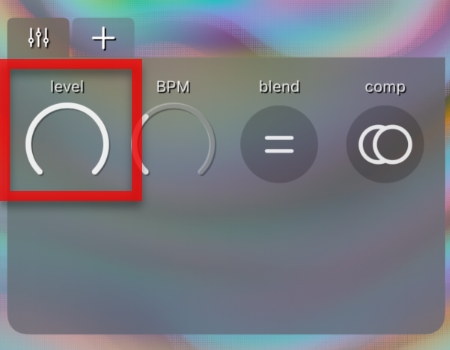
levelparameter
Controls the final output level. Perfect for live performance when you need a single global level control.
Audio Modulation
- New
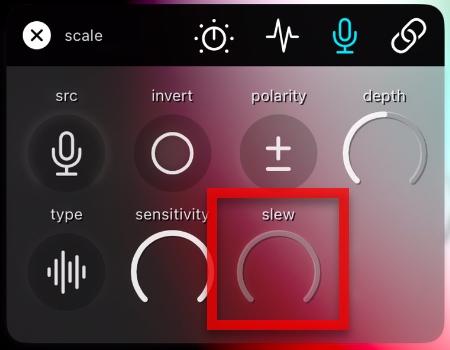
slewparameter
Smooths transitions between audio peaks by the given amount (only available in Follow mode) helping you get jittery audio-reactive motion.
Push Notifications
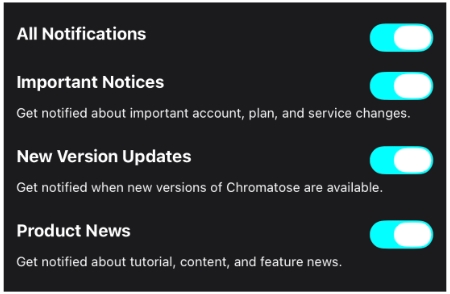
Stay updated by opting in to up to 3 categories of push notifications: Important Updates, New Version Updates, and Product News.
You stay in control of what you hear about.
Other Improvements
- Faster Library loading and searching.
- Patch thumbnail sizes are now square and smaller, so more can fit on the screen.
- When recording a video, the patch name is automatically used as the video file name.
- New screen informs you when an app update is available.
- New screen shows what’s new after updating the app.
See the changelog for the full list of changes.
What Stays the Same?
As always…
- No additional cost for anything in this update.
- No ads.
- No sign-up or personal data required.
- Try all features with the Free version.
What’s included with a Pro subscription?
- Access to all current and future features – see roadmap
- Save unlimited patches.
- No hidden costs or additional in-app purchases to unlock features.
- 1 subscription for all devices: iPhone, iPad, and the upcoming Mac version.
- Commercial usage rights.
- No watermarks, ever.
- Record videos up to 15 minutes.